How to Pick the Right GBP Category for a Dental Clinic
Google gives every dental practice one primary category and up to nine additional slots. Here is what the category picker actually controls, and how to choose between Dentist, Dental clinic and Cosmetic dentist without tanking your local ranking.
 Vikas Thakur Founder, RockingWeb 11 min read
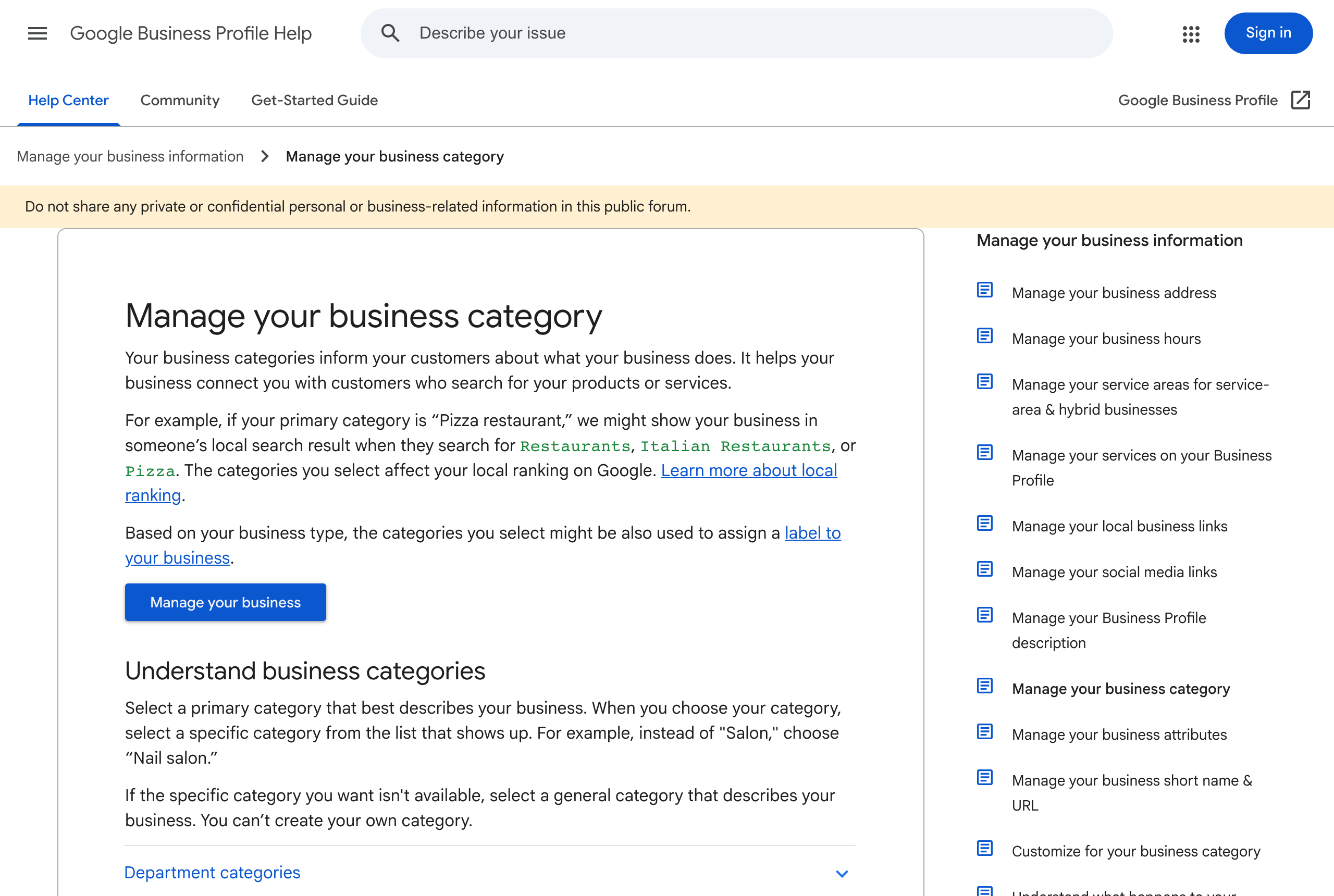
A dental practice picks one Google Business Profile category as primary and can add more on top of it, and Google’s own help documentation states that “the categories you select affect your local ranking on Google.” As at 15 August 2026, the current guidance sits on Google’s Manage your business category help page: choose the category that best describes what the business is, be specific over general, and use additional category slots for real secondary services rather than keywords. For a cosmetic dental practice weighing “Dentist” against “Cosmetic dentist,” that one field decides which searches the listing surfaces for and which local pack it competes in.
What Google’s Guidance Actually Says
Google publishes two help pages that between them cover the whole category decision. The first, Manage your business category, states the core instruction plainly: “Select a primary category that best describes your business.” It gives a worked example rather than an abstract rule: “instead of ‘Salon,’ choose ‘Nail salon.‘” The same page explains why specificity matters for matching, not just tidiness: “if your primary category is ‘Pizza restaurant,’ we might show your business in someone’s local search result when they search for Restaurants, Italian Restaurants, or Pizza.” A broader primary category can still surface for narrower searches; a narrower primary category rarely surfaces for the broader ones.
The page also draws a hard line on what a category is not for: businesses “can’t create your own category,” so the practice has to work within Google’s existing list rather than inventing a bespoke label. Google’s separate Guidelines for representing your business on Google page adds the accuracy test behind that rule, framed as a sentence completion exercise: a category should complete “this business IS a,” never “this business HAS a.” A teeth-whitening add-on service does not make a general dental practice a teeth-whitening business, so it does not belong in the primary category field, and it does not belong stacked into extra categories purely to catch more search terms either. The same guidelines page states that “Google reserves the right to suspend access to Business Profiles on Google or other Google Services to individuals or businesses that violate these guidelines,” which covers category misuse as one form of a broader guideline violation rather than as its own named penalty.
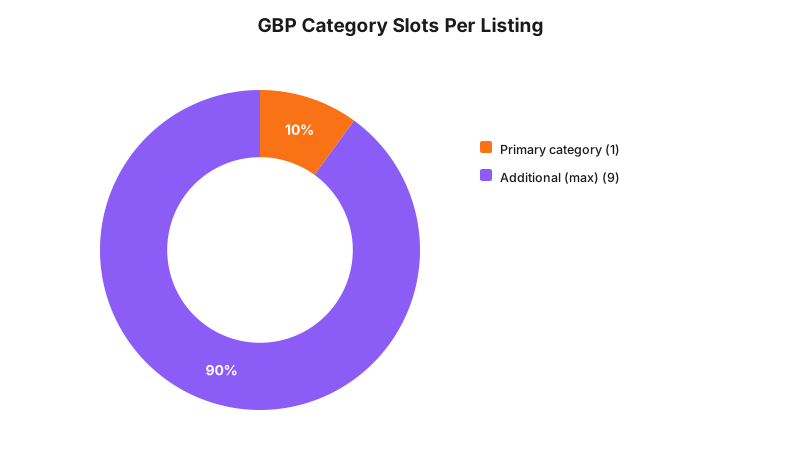
On category count, Google’s support documentation and its own community help threads describe a structure of one required primary category plus additional categories capped at nine, for ten categories total on a single listing. The primary field is the only one that has to be exact; the additional slots exist to describe real secondary services the practice genuinely provides, such as teeth whitening, dental implants, or emergency dental care, not to stack synonyms for the primary category.
Takeaway: the primary category has to answer “what is this business,” the additional categories describe what it also genuinely does, and neither field is a place to keyword-stuff.
What That Means for the Build
On the practice management side, this is a single field inside the Google Business Profile dashboard, not something a developer touches in the website’s codebase. Go to the profile, select “Edit” next to “Business category,” and Google shows a primary category box and an “Add another category” control underneath it. Typing triggers an autocomplete list; the practice can only pick from that list, it cannot type free text and save it as a new category.
Where this does touch the build is everywhere the category name gets echoed back into the site or its structured data. If the website’s Organization or LocalBusiness JSON-LD schema hardcodes a "@type" or a medicalSpecialty value that no longer matches the GBP primary category, that is a mismatch between how the site describes itself and how the profile describes itself, and it works against the very consistency Google’s guidance is asking for. Practices running a custom schema block, rather than one generated automatically by a plugin, should treat a GBP category change as a trigger to check that field too. The same applies to any embedded Google Maps widget or “as seen on Google” badge that pulls the business type from the profile automatically; those update themselves, but a manually written meta description or page title claiming “Perth’s leading cosmetic dentist” while the GBP primary category still reads “Dentist” is a mismatch a patient or a competitor can screenshot.
Decision Matrix
| Practice profile | Recommended primary category | Where cosmetic work goes | Why |
|---|---|---|---|
| General dentistry, cosmetic work is a minority of cases | Dentist or Dental clinic | Added as a secondary category, e.g. Cosmetic dentist | Matches what the business mostly is; still surfaces for cosmetic searches through the secondary slot |
| Cosmetic work is the stated focus of the practice | Cosmetic dentist | General services, if offered, added as secondary categories | Follows Google’s own rule to prefer the specific category over the general one when a specific option exists |
| Single practitioner offering only one narrow service, e.g. teeth whitening only | The most specific matching category available | Not applicable if the narrow service is the whole business | Matches the “this business IS a” test directly |
| Multi-practitioner clinic with a mix of general and cosmetic dentists on staff | Dentist or Dental clinic at the practice level | Cosmetic dentist as a secondary category, or a separate listing per practitioner where each has an independently bookable profile | Google’s guidance treats departments and individually-operated services as needing their own profile once they are independently run |
Worked Example
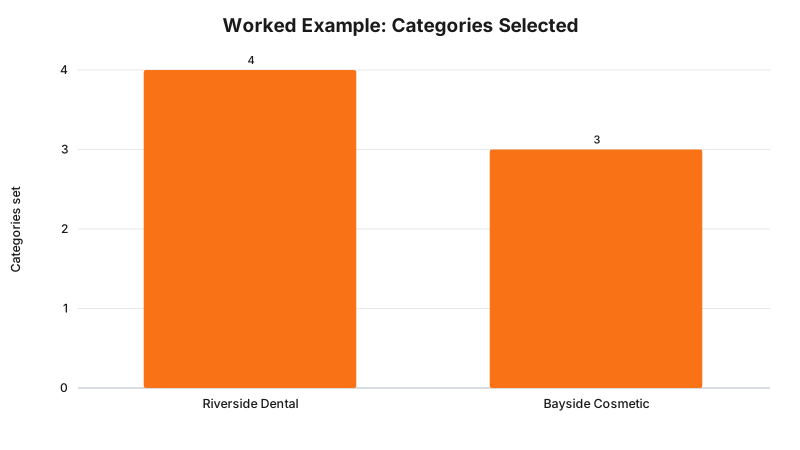
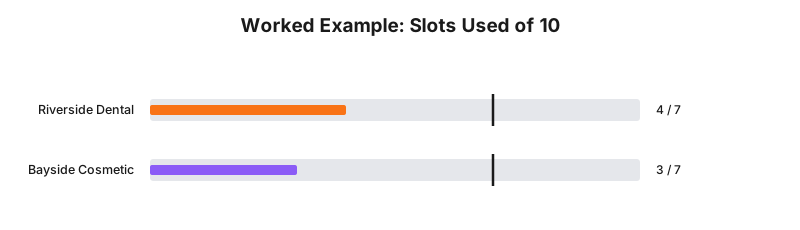
Riverside Dental is a five-chair general practice in the Perth metro area. Roughly one in six patients books cosmetic treatment; the rest are checkups, fillings, and general restorative work. Following the decision matrix above, Riverside sets its GBP primary category to “Dental clinic,” and adds “Cosmetic dentist,” “Teeth whitening service,” and “Emergency dental service” as three of its available secondary slots. That leaves six of the nine additional slots unused, which the practice manager keeps in reserve rather than filling for the sake of filling them, in line with Google’s own instruction to choose only categories that genuinely describe the business.
Bayside Cosmetic Dental, three suburbs over, runs the opposite mix: cosmetic consultations, veneers, and whitening make up most of its bookings, with general check-ups offered mainly to existing cosmetic patients. Bayside sets its primary category to “Cosmetic dentist” directly, then adds “Dentist” and “Dental implants provider” as secondary categories to still surface for patients searching in more general terms. Both practices are technically eligible for either category, and both examples below are illustrative numbers built for this post, not measured data from either business.
Takeaway: match the primary category to what the practice mostly is, then use the secondary slots for the real services underneath it, not for every keyword a patient might search.
What to Check on Your Own Listing
- Open the Business Profile dashboard and confirm the primary category still matches what the practice actually does day to day, not what it did when the listing was first created.
- List every additional category currently set, and remove any that describe a service the practice no longer offers or never genuinely offered.
- Check the practice’s website meta title, meta description, and any hardcoded JSON-LD schema for a business type claim that no longer matches the current GBP primary category.
- If cosmetic work has grown from a minority to a majority of bookings, or the reverse, treat that as a trigger to revisit whether the primary category still fits, rather than waiting for a scheduled review.
- Confirm any multi-practitioner or multi-location setup follows Google’s guidance on separate profiles for independently operated services, rather than stacking every practitioner’s specialty into one shared listing’s category list.
Enforcement Anchor
No specific, publicly named case of a dental or cosmetic clinic being suspended from Google Business Profile purely for category misuse turned up in research for this post. What does exist is Google’s own stated policy: its Guidelines for representing your business on Google reserve the right to suspend Business Profile access for guideline violations generally, with category misuse, such as using categories “solely as keywords or to describe attributes of your business,” named explicitly as a violation type within that same document. The consequence Google states is account-level suspension risk, not a court-ordered penalty or a regulator’s infringement notice, which is a different kind of enforcement to the AHPRA and TGA cases that anchor other posts in this series.
Where This Gets Hard
Choosing “Cosmetic dentist” as a primary category describes what kind of business the practice is on Google Maps. It does not change, exempt, or loosen anything about how the practice’s website and marketing content are regulated once a patient clicks through. AHPRA’s guidelines for registered health practitioners who perform non-surgical cosmetic procedures took effect on 2 September 2025 and apply to all registered health practitioners except medical practitioners, who remain under the Medical Board of Australia’s separate 2023 cosmetic guidelines. A dental practice advertising non-surgical cosmetic procedures such as anti-wrinkle injections or dermal fillers on its website is subject to those advertising rules regardless of what its GBP category field says, and a general dentistry practice that only lists “Cosmetic dentist” as a secondary category for veneers and whitening is not automatically exempt either, since standard cosmetic dental work sits under the Dental Board of Australia’s own advertising expectations rather than outside regulation altogether. The regulator says advertising content must meet these standards; the build consequence is that a category change on Google is a marketing decision, not a compliance decision; whether a specific page or claim on the practice’s website complies is a question for your medical defence organisation or your lawyer.
There is also a practical limit to how much the category field alone can move a ranking. Google’s own guidance frames categories as one input into local ranking, alongside proximity, review volume, and on-page relevance signals it does not fully disclose. Getting the category right removes a mismatch that can work against the listing; it does not, on its own, guarantee a top local pack position against a competitor with the same category and a stronger review profile.
Status Line
The Google Business Profile category system described in this post, including the primary-plus-additional structure and the accuracy guidelines quoted above, is Google’s current, live product policy as at 15 August 2026, not a proposal or a rule with a future commencement date. Google can and does update its help documentation and category list without a formal notice period, so a practice manager relying on this post should confirm the live category picker still lists the same options before acting on the specific example categories named here.
Frequently Asked Questions
Can a dental practice have more than one Google Business Profile category?
Yes. Google’s Business Profile Help documentation describes one required primary category plus additional categories you can add on top of it, up to a stated cap of nine, for ten in total. Only the primary category has to be exact; the rest can describe secondary services such as teeth whitening or emergency dental care.
Should a cosmetic dentist choose Dentist or Cosmetic dentist as the primary category?
Google’s guidance says to pick the category that best describes what the business is, not everything it offers, and to prefer a specific option over a general one where a specific one exists. If cosmetic work is the practice’s main focus, Cosmetic dentist is the more accurate primary category; if general dentistry is the bulk of the caseload and cosmetic work is one service among several, Dentist or Dental clinic as primary with Cosmetic dentist added as a secondary category better reflects the practice.
Does changing a GBP primary category affect a website’s AHPRA compliance?
No, not directly. The category field only affects how Google matches and ranks the listing in search and Maps. If the practice advertises non-surgical cosmetic procedures anywhere on its website or in its Business Profile posts, that content is still governed by AHPRA’s advertising guidelines for registered health practitioners, in effect since 2 September 2025, regardless of what category the listing carries.
Sources and References
- Google Business Profile Help, “Manage your business category” - support.google.com/business/answer/7249669, date checked 15 August 2026.
- Google Business Profile Help, “Guidelines for representing your business on Google” - support.google.com/business/answer/3038177, date checked 15 August 2026.
- Ahpra, “New guidelines for cosmetic procedures,” 2 September 2025 - ahpra.gov.au, date checked 15 August 2026.
Last reviewed: 15 August 2026.
Vikas Thakur
Founder of RockingWeb. 16 years of experience from working at TPG, iiNet and Monadelphous, now building websites, software and digital marketing for local businesses in Rockingham and Perth.